How to Turn Anime Characters into Realistic Human Portraits
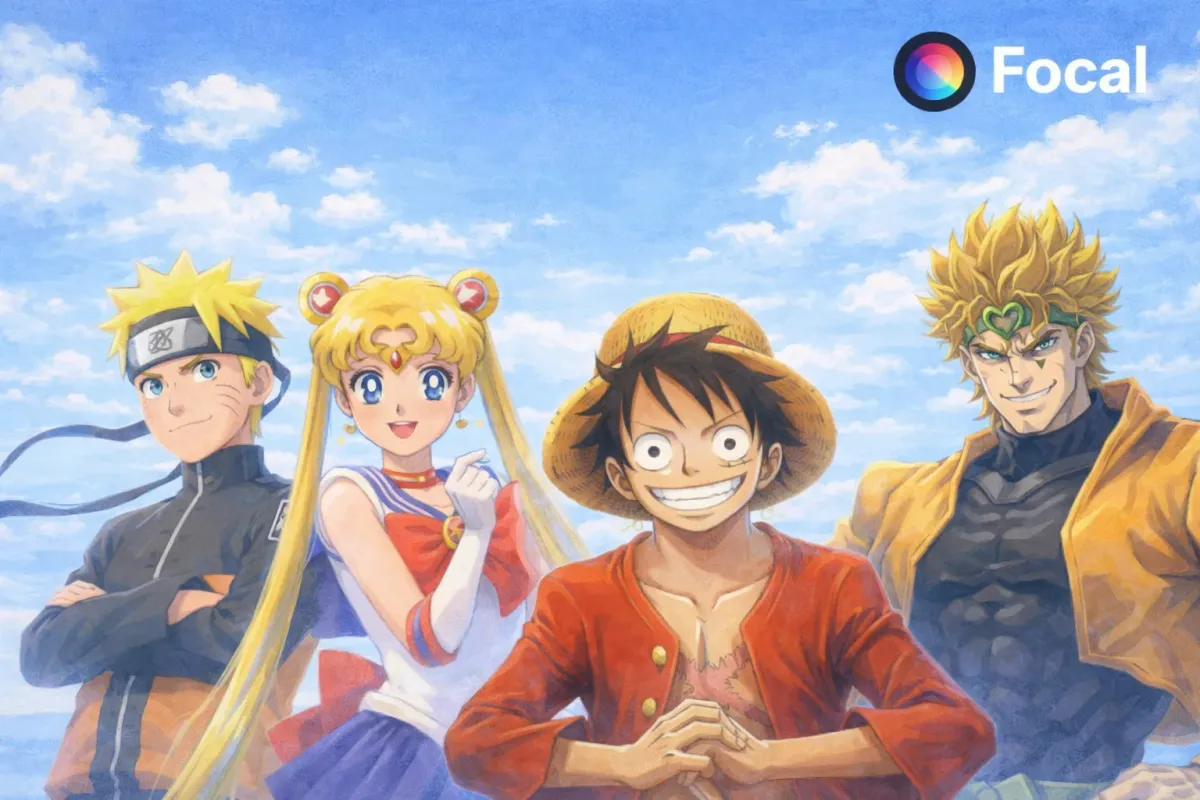
Turning anime characters into realistic human portraits is one of the most searched AI art trends today. Creators want to convert anime to real life faces, transform anime drawings into photorealistic portraits, and generate hyper realistic human versions of animated characters. Whether you are recreating an original anime OC, redesigning a manga character, or visualizing what your favorite stylized character would look like in real life, AI image generation now makes it possible in minutes.
In this guide, you will learn how to turn anime characters into realistic human portraits using AI tools, how to write better prompts for photorealistic results, and how to refine lighting, skin texture, camera settings, and facial proportions for believable realism.
@zackx296 Slam Dunk Reimagined in Real-Life with AI #ai #anime #fanmade #slamdunk
♬ Sekaigaowarumadewa - Show Wesugi
Tools You Need from AI
To transform anime into real life portraits, you need more than just a basic text to image generator. You need:
- AI image generation with high detail control
- Reference image support
- Advanced prompt editing
- Lighting and camera customization
- Optional video generation for animated realism
This is where Focal becomes powerful.
Focal lets you:
- Upload an anime character reference
- Write detailed transformation prompts
- Choose different AI image models depending on style
- Adjust realism, lens settings, lighting, and skin detail
- Generate still portraits or even short cinematic clips
Inside Focal you can experiment with multiple AI models to achieve different realism levels, from soft studio portraits to ultra realistic cinematic close ups.
Key Features for Realistic Anime to Human Conversion
| Feature | Why It Matters |
|---|---|
| Reference image upload | Keeps character features consistent |
| Prompt refinement tools | Helps guide facial structure and realism |
| Realistic lighting controls | Adds depth and believable skin tones |
| Camera and lens settings | Creates DSLR level portrait realism |
| Model switching | Try different realism engines in one workflow |
Sample Output I Created
Here is an example of what happens when you convert an anime character into a real human portrait using AI:
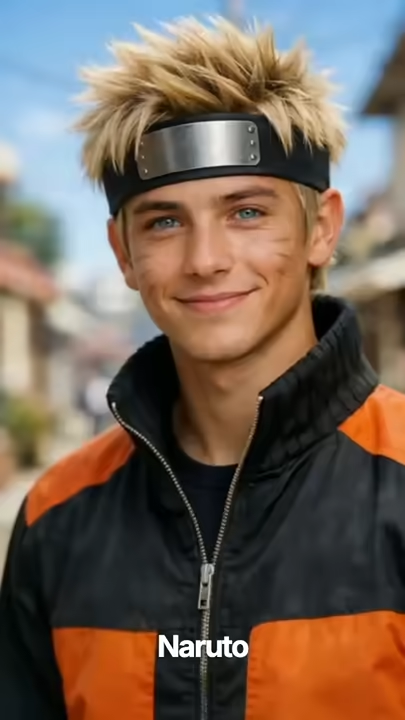
For this project, I uploaded four anime reference images in this order, Naruto, Pikachu, Sailor Moon, and Monkey D Luffy. Instead of generating static portraits, I used one structured master prompt:
Anime Characters Reimagined as Real Humans Uplifting and Subtle Motion. Generate multiple separate vertical video clips, each 8 to 10 seconds long, with identical visual quality, pacing, and style. Each clip must be rendered as its own independent shot, not stitched together. I will upload reference images of famous anime characters for visual guidance. Use these images only to understand facial structure, hairstyle, proportions, clothing inspiration, and personality traits. Do not retain cartoon or illustrated style. Each clip shows one anime character reimagined as a realistic human in real life, with natural skin texture, believable facial anatomy, realistic hair, subtle breathing, eye movement, and calm idle motion. The character faces the camera in a relaxed neutral pose, with facial expression subtly reflecting the original character’s personality while remaining grounded and realistic.
The background is clean and minimal with soft depth of field so attention stays on the face. Add a simple on screen caption at the bottom center displaying the character’s name in clean white text, for example Naruto. The camera uses a very slow smooth push in or micro zoom throughout the clip to feel natural and cinematic, never distracting. Music is uplifting, light, and emotional, suitable for inspirational or nostalgic short form videos, kept soft and positive with no dialogue. All clips follow consistent settings, vertical 9 by 16 aspect ratio, 8 to 10 seconds per clip, 30 fps, medium close up portrait framing, soft diffused lighting, shallow depth of field, ultra high quality realistic human textures, and subtle idle motion only.
Step 1: Plan and Write the Right Prompt in Focal
The most important step in turning anime into realistic humans is prompt design.
Example Prompt Structure
Start with something like this:
Transform this anime character into a photorealistic human portrait. Maintain recognizable facial structure and hairstyle. Convert stylized anime eyes into natural human proportions. Add realistic skin texture, subtle pores, natural lighting, shallow depth of field, 85mm lens, high resolution DSLR portrait, soft cinematic lighting, neutral background, ultra detailed, sharp focus.
Tips for Better Realism
- Mention specific camera lenses such as 50mm or 85mm
- Add lighting style like soft studio light or golden hour natural light
- Specify skin texture and realistic imperfections
- Avoid words like cartoon or anime in the final output description
- Add high resolution, ultra detailed, photorealistic portrait
Long tail keyword variations you can test:
- turn anime girl into real human photo
- anime character realistic face AI
- convert anime drawing to real life portrait
- make anime character look human with AI
- hyper realistic anime to real life transformation
Step 2: Choose Model and Adjust Settings
Inside Focal you can choose different AI models for different effects.
For hyper realistic portraits:
- Choose a model optimized for photorealistic human faces
- Increase detail level
- Adjust realism strength
- Select portrait aspect ratio
- Enable high resolution output
Adjust settings like:
- Depth of field
- Lighting intensity
- Color grading
- Skin realism
- Facial symmetry correction
This step helps avoid uncanny valley results and improves believable human proportions.
Step 3: Generate and Refine
After generating your first version:
- Zoom in and inspect facial details
- Adjust prompt for more realism if skin looks too smooth
- Reduce eye size if it still looks too anime
- Add subtle asymmetry for authenticity
- Regenerate with slight prompt changes
Small refinements create major improvements in realism.
Step 4: Save Export or Create a Video Version
Once satisfied, you can:
- Export high resolution portrait
- Create alternate lighting versions
- Turn the portrait into a cinematic AI video clip
- Add subtle breathing or blinking animation
This is powerful for:
- Social media content
- Character redesign projects
- Cosplay planning
- Concept art visualization
- AI influencer creation
Why This Trend Is Exploding
Turning anime into realistic humans is trending because:
- Fans want to see real world versions of animated characters
- Cosplayers use AI portraits for planning
- Creators redesign original characters into cinematic concepts
- AI art communities share before and after transformations
- Social platforms favor realistic AI portrait content
Search interest continues to grow for phrases like anime to real life AI, realistic anime portrait generator, and convert anime character to human face.
Bring Your Anime Characters to Life with Realism
If you have ever wondered what your anime character would look like as a real person, now you can create that transformation in minutes. With the right prompt, realistic lighting, proper lens settings, and powerful AI models inside Focal, you can turn stylized animation into believable human portraits that feel cinematic and authentic.
Experiment with different prompts, adjust realism levels, and refine details until your character looks like someone who could exist in the real world.
Create your own anime to real life transformation today using a powerful AI video generator like Focal, built for creators who want full control from prompt to final output.
Start transforming your anime characters into realistic human portraits today.
FAQs About Turning Anime Characters Into Realistic Humans
How do you turn an anime character into a realistic human portrait with AI
You upload the anime reference image into an AI image generator, write a detailed prompt describing realistic facial proportions, skin texture, lighting, and camera settings, then generate and refine the output until it looks photorealistic.
What is the best way to make anime eyes look realistic
Reduce the eye size to natural human proportions, add subtle iris texture, natural reflections, and realistic eyelid folds. Avoid exaggerated shine and oversaturated colors.
Can AI convert anime drawings into real life photos
Yes. Modern AI models can translate stylized anime features into human anatomy while preserving recognizable traits like hairstyle, expression, and facial structure.
Why does my anime to human conversion look uncanny
This usually happens when the eyes remain too large, skin is overly smooth, or symmetry is too perfect. Adding subtle asymmetry, realistic skin texture, and proper lighting improves believability.
Can I turn my anime character into a realistic video version
Yes. After generating a realistic portrait, you can use AI video generation tools to animate subtle movements like blinking, breathing, or head turns for cinematic results.
📧 Got questions? Email us at [email protected] or click the Support button in the top right corner of the app (you must be logged in). We actually respond.