
How to Make AI Baby Videos in 2026
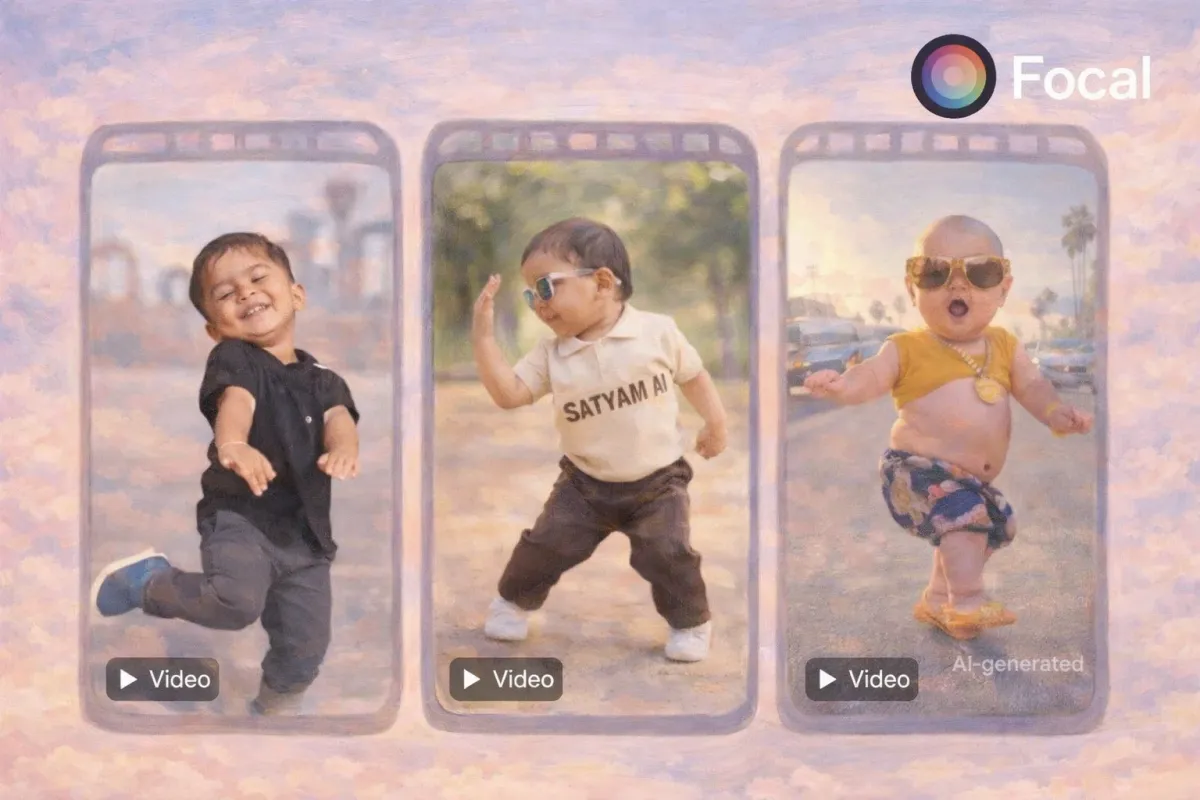
AI baby videos have become one of the most shared short form video styles across TikTok, Instagram Reels, and YouTube Shorts. These videos use AI to animate baby faces, generate lifelike expressions, and create emotionally engaging clips that feel playful and cinematic rather than artificial.
In 2026, AI baby videos are no longer novelty filters. They are powered by advanced face animation systems, temporal consistency models, and photo to video pipelines that preserve realism across motion and expressions.
Why AI Baby Videos Are Trending in 2026
AI baby videos sit at the intersection of emotion, nostalgia, and technical spectacle. They perform well because they trigger instant emotional response while remaining visually simple.
Key reasons for their growth include
- Short form platforms prioritizing expressive faces
- Improved AI facial landmark accuracy
- Better motion smoothing and frame stability
- Vertical video formats optimized for mobile viewing
One of the most engaging formats driving this trend is AI baby dance videos, where lifelike baby avatars move to trending music with surprisingly smooth motion. If you’re interested in creating this type of content yourself, our guide on how to make an AI baby dancing video breaks down the process step by step.
What Powers AI Baby Videos Behind the Scenes
Modern AI baby videos rely on multiple systems working together rather than a single filter.
Core technologies include
- Facial landmark mapping to track eyes, mouth, and cheeks
- Expression synthesis for smiles, laughter, and blinking
- Temporal consistency to avoid flicker between frames
- Photo to video diffusion models that preserve facial identity
This is where tools like an AI Video Generator with timeline level control become important. Systems that allow creators to refine motion, pacing, and transitions consistently outperform one click filters.
How to Make AI Baby Videos Step by Step
Step 1: Choose the Right Source Image
Start with a high quality baby photo or a generated baby face. Clear lighting and a forward facing angle produce the best animation results.
Best practices
- Neutral expression works better than extreme emotions
- Avoid heavy shadows or motion blur
- Use images at least 1024px wide
Step 2: Animate the Face Using AI
Animating the face is the moment where an AI baby video becomes believable or immediately feels artificial. This step should focus on facial motion rather than static image warping. True facial animation understands how expressions change over time, how eyes blink irregularly, and how subtle movement creates emotion.
Using a tool like Focal allows you to guide facial animation using prompts instead of relying on fixed filters. Prompt driven animation gives you control over emotion, pacing, and realism, which is essential when generating multiple baby clips that need to feel consistent.
Look for facial animation that supports the following behaviors.
- Natural blinking and eye movement Eyes should blink at uneven intervals and show small shifts in focus. Perfectly timed blinking or frozen eyes make AI videos feel lifeless.
- Smooth mouth articulation Mouth movement should be soft and gradual. Baby expressions rely on gentle transitions rather than sharp open and close motion.
- Consistent head positioning The head should remain stable with only slight natural movement. Sudden jumps or drifting indicate weak motion modeling.
This is where AI Character Consistency becomes critical. If you are creating multiple videos of the same baby, the face shape, expression style, and motion behavior must remain stable from clip to clip. Timeline based tools help lock in these traits so your character feels like the same baby every time.
Prompt Structure and Sample Prompts for Facial Motion
Prompts for facial animation work best when they describe emotional tone, motion intensity, and realism rather than exaggerated actions. Baby faces respond better to subtle guidance than dramatic instructions.
Effective prompts usually include
- The emotional state
- The speed of expression
- The softness of motion
- A reminder to keep movements natural
Below are longer, more detailed prompt examples you can copy and test.
Gentle smiling baby A baby face slowly forming a soft smile, natural irregular blinking, relaxed eyes, slight cheek movement, minimal head motion, calm and realistic facial animation, smooth transitions, no exaggerated expressions
Happy baby laughing lightly A baby laughing gently with small mouth movement, light eye squint, subtle facial motion, natural blinking, stable head position, warm emotional tone, smooth and lifelike animation
Curious baby reaction A baby showing curiosity with a slight eyebrow raise, slow blinking, tiny mouth movement, minimal head motion, natural facial timing, soft expression changes, realistic motion behavior
Calm baby idle portrait A baby resting with a neutral expression, occasional natural blinking, tiny breathing motion in the face, stable head position, soft lighting response, realistic stillness and subtle movement
Emotional reaction without exaggeration A baby reacting with a gentle surprised smile, slow mouth opening, subtle eye widening, smooth facial transitions, natural pacing, restrained motion, realistic expression flow
Avoid prompts that push extreme emotion or fast movement. Subtle instructions consistently produce more realistic AI baby videos than aggressive prompting.
Step 3: Add Motion and Timing
Subtle motion sells realism. Small head tilts, micro expressions, and gentle breathing movement outperform exaggerated animation.
Recommended motion styles
- Slow smile transitions
- Soft laughter loops
- Calm idle expressions
Step 4: Export for Short Form Platforms
AI baby videos perform best in vertical formats.
Export tips
- 9 by 16 aspect ratio
- 6 to 12 seconds length
- Loop friendly endings
Internal linking opportunity Link to AI Video Trends 2026 within this section.
Popular AI Baby Video Formats Creators Use
Creators are not making just one type of AI baby video. The format has evolved.
Common styles include
- Talking baby reactions synced to voiceovers
- AI baby versions of adults or celebrities
- Baby characters reacting to trending audio
- Cinematic baby portraits with soft lighting
These formats benefit from timeline based editing rather than single prompt generation.
How to Improve Quality and Realism
Small details separate viral AI baby videos from forgettable ones.
Quality tips
- Reduce motion intensity rather than increasing it
- Keep lighting consistent across frames
- Avoid fast cuts that reveal artifacts
- Test clips on mobile screens before publishing
Advanced creators often refine clips inside an AI Video Generator timeline instead of regenerating from scratch.
Create AI Baby Videos With Full Creative Control
If you want more than basic filters, use a system that lets you animate, edit, and refine baby videos scene by scene.
With Focal, creators can
- Animate baby faces using photo to video AI
- Maintain facial consistency across multiple clips
- Edit pacing, motion, and expressions in a timeline
- Export platform ready vertical videos
This workflow gives you control over emotion, realism, and storytelling rather than relying on random outputs.
Turn still photos into expressive AI baby videos with natural movement, emotion, and charm.
FAQs About AI Baby Videos
How do people make AI baby videos They use AI photo to video systems that animate facial expressions and motion from a single image or generated character.
Can AI turn photos into baby videos Yes. Modern AI can animate a baby photo into realistic motion using facial landmark tracking and temporal consistency.
What AI makes baby videos for TikTok Creators typically use AI video generators that support vertical video, facial animation, and short clip exports.
Are AI baby videos safe to create They are safe when using synthetic images or consent based photos and when creators label content clearly.
Do AI baby videos use real faces They can, but best practice is to use generated faces or licensed images to avoid privacy issues.