
How to Create Viral Talking Fruit AI Videos Using One Master Prompt
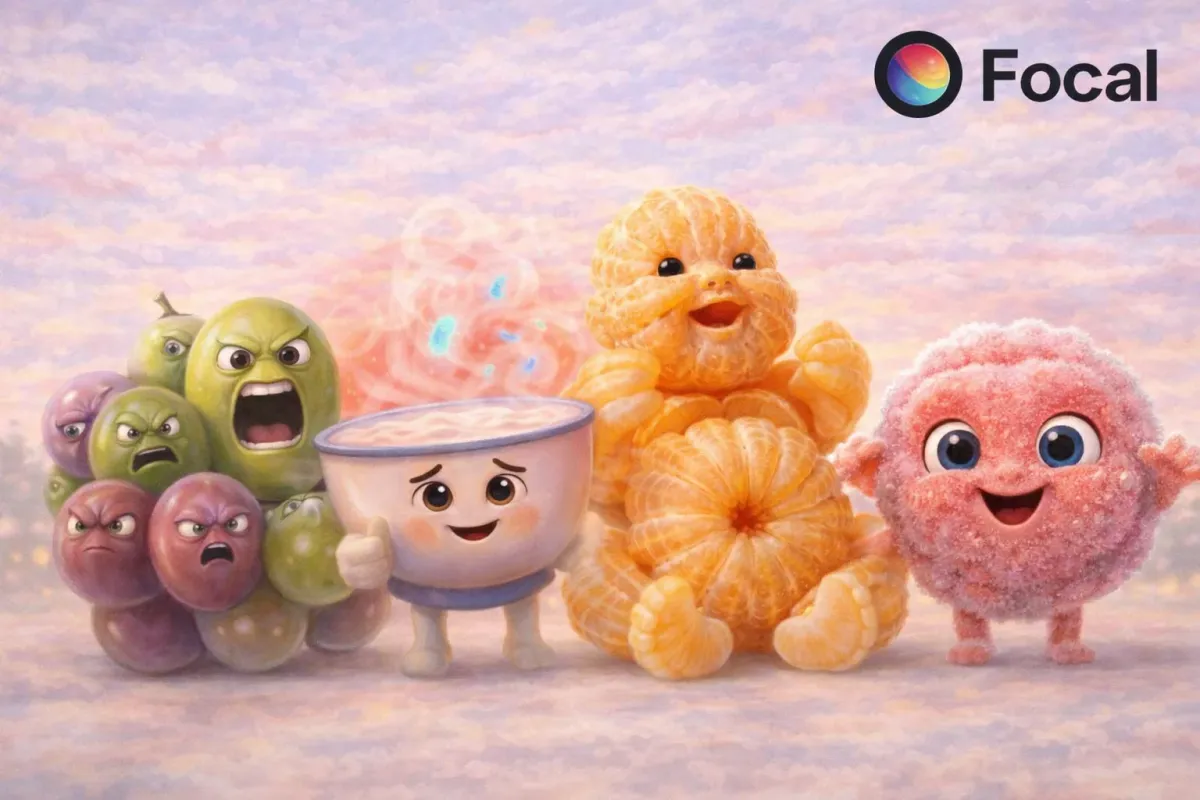
Talking fruit AI videos are no longer just surreal entertainment. A growing category focuses on kitchen tips, food safety warnings, and storage mistakes, delivered by fruits themselves. These videos perform well because they mix realism, education, and short form storytelling that feels personal.
If you are looking to learn how to create viral talking fruit AI videos using one master prompt, this guide breaks down the full workflow. From planning and prompting to generation and export, the entire process is optimized for short educational videos on TikTok, Reels, and Shorts.
@whatsnew126 your fruits are talking to you #ai #lifehacks
♬ original sound - Whats New - Whats New
Tools Needed to Create Educational Talking Fruit AI Videos
Educational talking fruit videos require more control than novelty content. You need realistic facial motion, stable character design, and precise video settings.
This is where Focal fits into the workflow.
Focal allows creators to:
- Generate anthropomorphic food characters
- Animate facial expressions and lipsync accurately
- Control frame rate, duration, and aspect ratio
- Adjust plans and custom instructions before generation
- Export vertical videos optimized for social platforms
Instead of stitching together multiple tools, everything from prompt to export happens in one place.
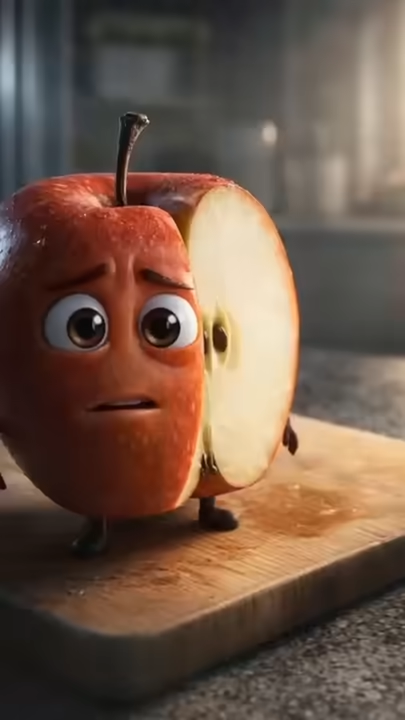
Sample Output. (Here's What a Talking Fruit Kitchen Tip Video Looks Like)
A successful educational talking fruit AI video usually includes:
- One fruit centered in frame
- A realistic kitchen environment
- Subtle human facial features and gestures
- Serious but friendly tone
- Clear & concise message (food safety or storage warning)
- Short duration between 7 and 10 seconds
- Vertical format for mobile viewing
The realism builds trust. The absurdity of a fruit talking keeps viewers watching. The tip makes the video shareable.

Step by Step. How to Create Talking Fruit AI Videos in Focal
Step 1. Planning and Prompting the Video Concept
Before generating anything, plan the lesson first, not the visuals.
Decide:
- Which food item is speaking
- What mistake people commonly make
- Why the mistake matters
- How to explain it simply in first person
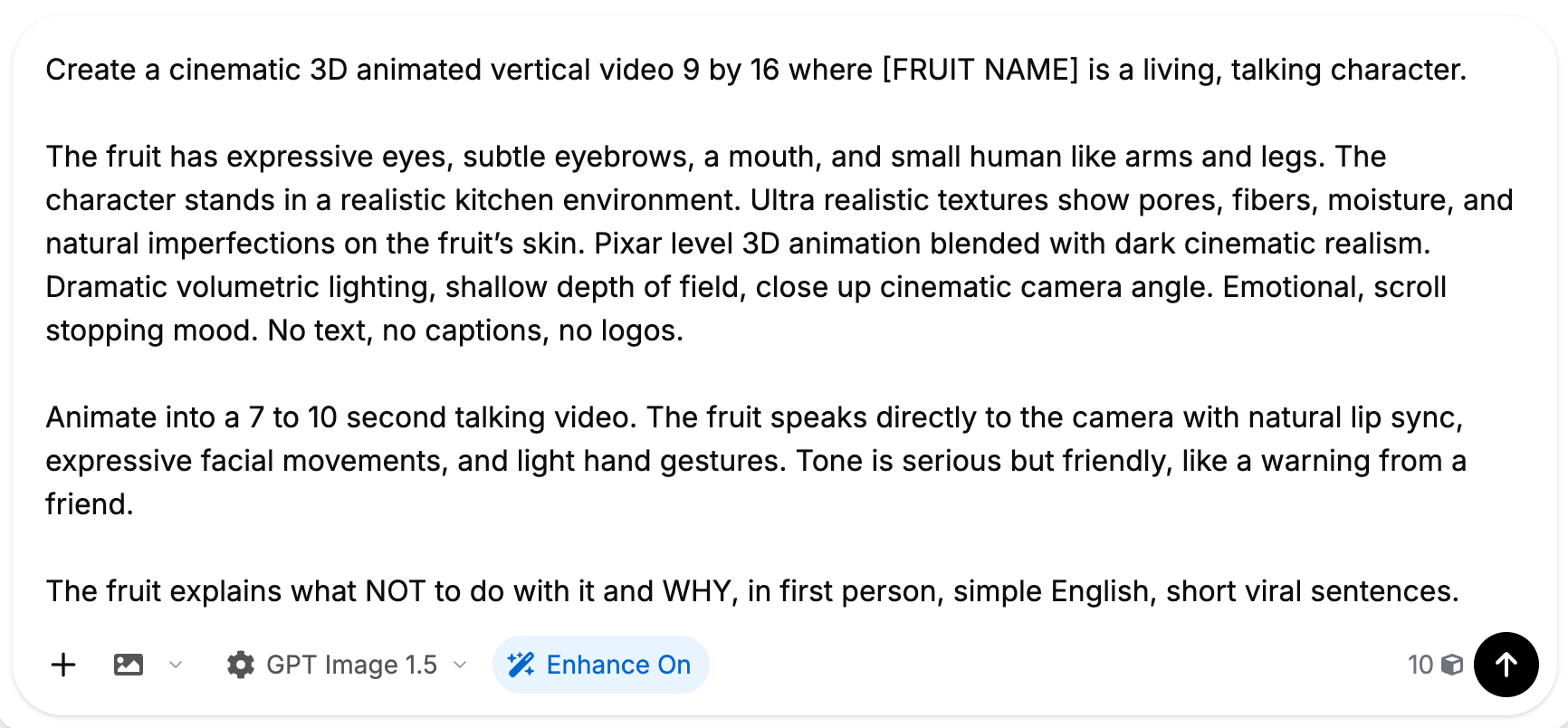
The Core Master Prompt Used
Below is the exact prompt structure that works across fruits, vegetables, and even bread.
Base Prompt Template
Alternative Prompt Variations You Can Use
- More Educational Tone Variation
- The fruit speaks calmly and clearly, like a food safety expert explaining a common kitchen mistake. Facial expressions are subtle and trustworthy.
- More Emotional Warning Variation
- The fruit sounds concerned and slightly urgent, warning the viewer about spoilage, bacteria, or nutrient loss.
- More Friendly Advice Variation
- The fruit sounds caring and supportive, offering advice to help the viewer store and prepare food properly.
These variations let you reuse the same structure while changing tone.
Step 2. Choosing Options and Adjusting Plans in Focal
After entering the prompt, this is where Focal becomes critical.
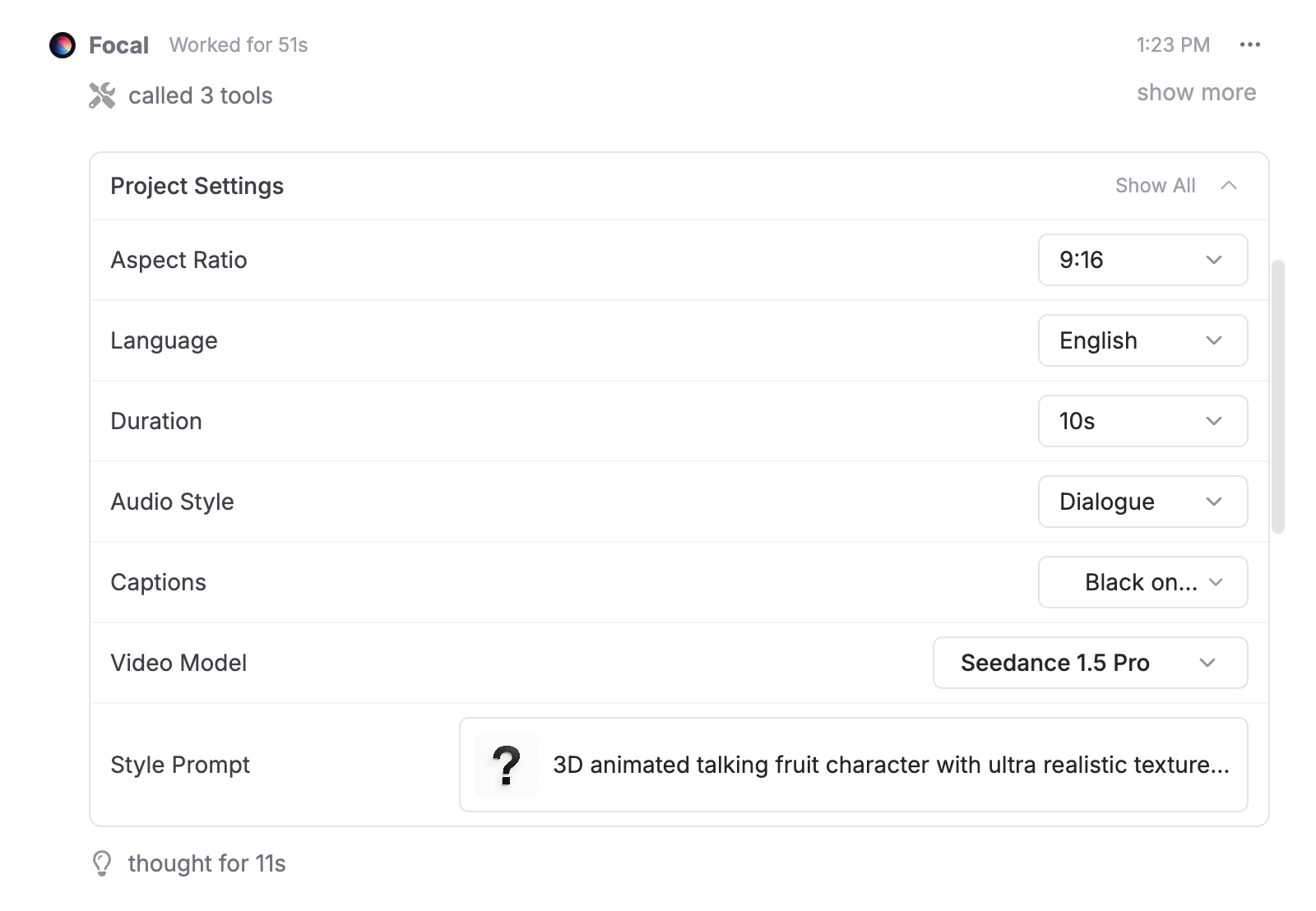
Inside the plan and custom instruction settings, adjust:
- Aspect ratio set to 9 by 16
- Duration limited to 7 to 10 seconds
- Facial animation prioritized over body motion
- Stable head position with minimal camera drift
- Medium motion intensity for realism
This step ensures the AI focuses on facial clarity and speech accuracy rather than unnecessary movement.
Step 3. Generate the Video Using AI Models
Once settings are finalized, generate the video.
Focal automatically calls on suitable AI video models to render the 3D character, animate facial movement and lipsync, and apply cinematic lighting and depth.
At this stage, review:
- Mouth alignment with dialogue
- Eye movement realism
- Lighting and character consistency
- Any warping or jitter
If needed, regenerate with small prompt or setting tweaks instead of rewriting everything.
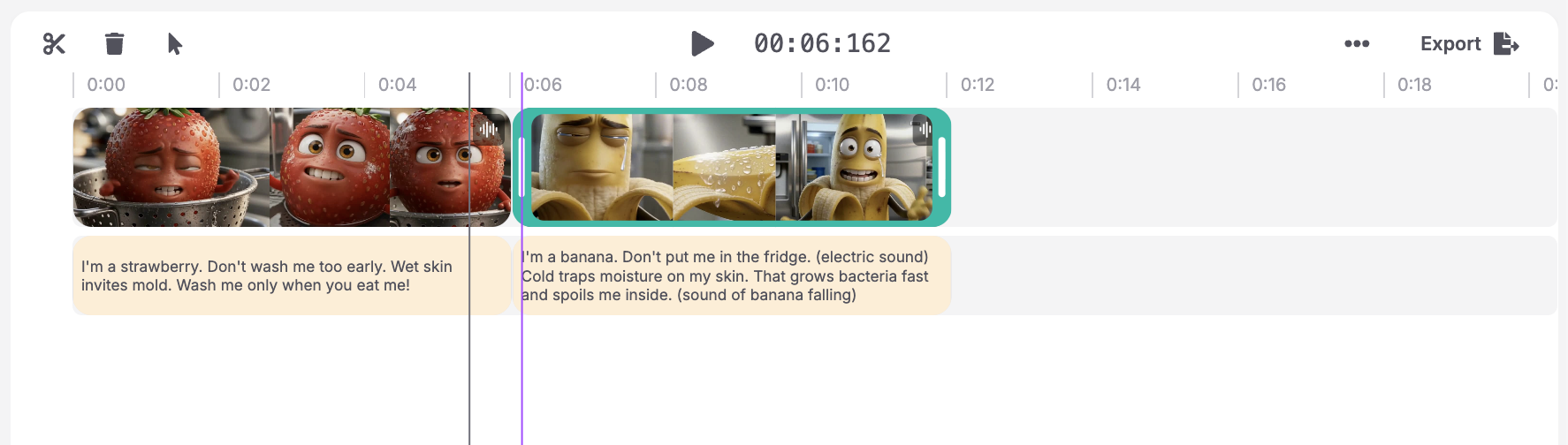
Step 4. Save, Export, and Share
When satisfied, you may:
- Export directly in Focal
- Upload directly to TikTok, Reels, or Shorts
- Or save the video on your device.
Turn Everyday Kitchen Mistakes Into Viral AI Videos
Talking fruit AI videos work because they educate without feeling like a lecture. When food explains its own storage, handling, or safety mistakes, viewers pay attention longer, understand faster, and are far more likely to share the message. This format turns simple kitchen advice into short form content that feels human, memorable, and surprisingly credible.
With the right prompt structure, these videos are easy to scale. One master prompt can generate an entire series of fruit and food safety clips, each consistent in style, tone, and quality. Instead of reinventing your workflow for every idea, you focus on the lesson and let the system handle the visuals, motion, and timing.
Using a unified AI video workflow also means faster iteration. You can test different foods, tones, and warnings in minutes, refine what performs best, and build a recognizable content style that audiences trust and return to. Educational content stops being static and starts behaving like viral media.
Create shareable food safety videos that teach, warn, and go viral at the same time.
FAQs About Talking Fruit AI Videos
How do you create talking fruit AI videos for kitchen tips?
You use a consistent master prompt, add realistic facial animation, and generate short vertical videos that explain food safety mistakes in first person.
Can AI videos be used for food safety education?
Yes. Short AI videos explaining storage, washing, and preparation mistakes perform well because they are easy to understand and highly shareable.
What makes a talking fruit AI video go viral?
Realistic visuals, short duration, clear lipsync, and useful information delivered in a surprising format.
What AI tool is best for talking food videos?
Platforms that support AI models with capability for facial animation, lipsync, and short form video generation are best suited.
Do educational AI videos perform well on TikTok?
Yes. Educational content that feels entertaining often achieves higher watch time and saves.
📧 Got questions? Email us at [email protected] or click the Support button in the top right corner of the app (you must be logged in). We actually respond.